
Referral Program
Claim Cal's referral program rewards you for spreading the word. When you refer a colleague and they start using Claim Cal, both you and the new user receive 2 bonus free cases each -- on top of the standard 3 free cases that every new organisation receives.
How It Works
The referral program follows a simple three-step process:
- You share your unique referral link with a colleague (or send them an invitation email directly from Claim Cal).
- They sign up for Claim Cal using your referral link.
- Once the referred user creates their first case, both of you receive 2 bonus free cases added to your organisations.
The bonus cases work exactly like your initial free cases -- each one lets you create and fully use a case across all three tools (Damages Calculator, Economic Loss Analyser, and Settlement Tracker) at no charge.
ℹ️ Note
Both the referrer and the referee receive the same benefit: 2 bonus free cases per successful referral.
Sending a Referral
Your referral link and invitation tools are found in the Referrals tab within Org Settings.
Click your avatar in the top-right corner and select Org Settings.
Click the Referrals tab.
You will see your unique referral link in the format app.claimcal.com.au/signup?ref=REF-XXXXXX. You can share it in two ways:
- Copy the link -- click the copy button to copy your referral link to the clipboard, then share it however you like (email, message, etc.).
- Send via email -- enter a colleague's email address directly in Claim Cal to send them a referral invitation email.
What Happens After You Refer Someone
Once you have shared your referral link, the referral progresses through three stages:
| Status | What it means |
|---|---|
| Pending | You have sent the referral, but the recipient has not yet created an account. |
| Signed Up | The referred colleague has created a Claim Cal account using your link. |
| Credited | The referred user has created their first case. Both you and they have received 2 bonus free cases. |
💡 Tip
The bonus cases are credited when the referred user creates their first case, not when they sign up. This means the referral moves from "Signed Up" to "Credited" once they begin actively using Claim Cal.
Tracking Your Referrals
The Referrals tab in Org Settings shows a history table of all your referrals. Each row displays:
| Column | Description |
|---|---|
| The email address of the person you referred. | |
| Status | The current stage of the referral: Pending, Signed Up, or Credited. |
| Bonus Cases | The number of bonus cases earned from this referral (2 when credited). |
| Date | When the referral was sent. |
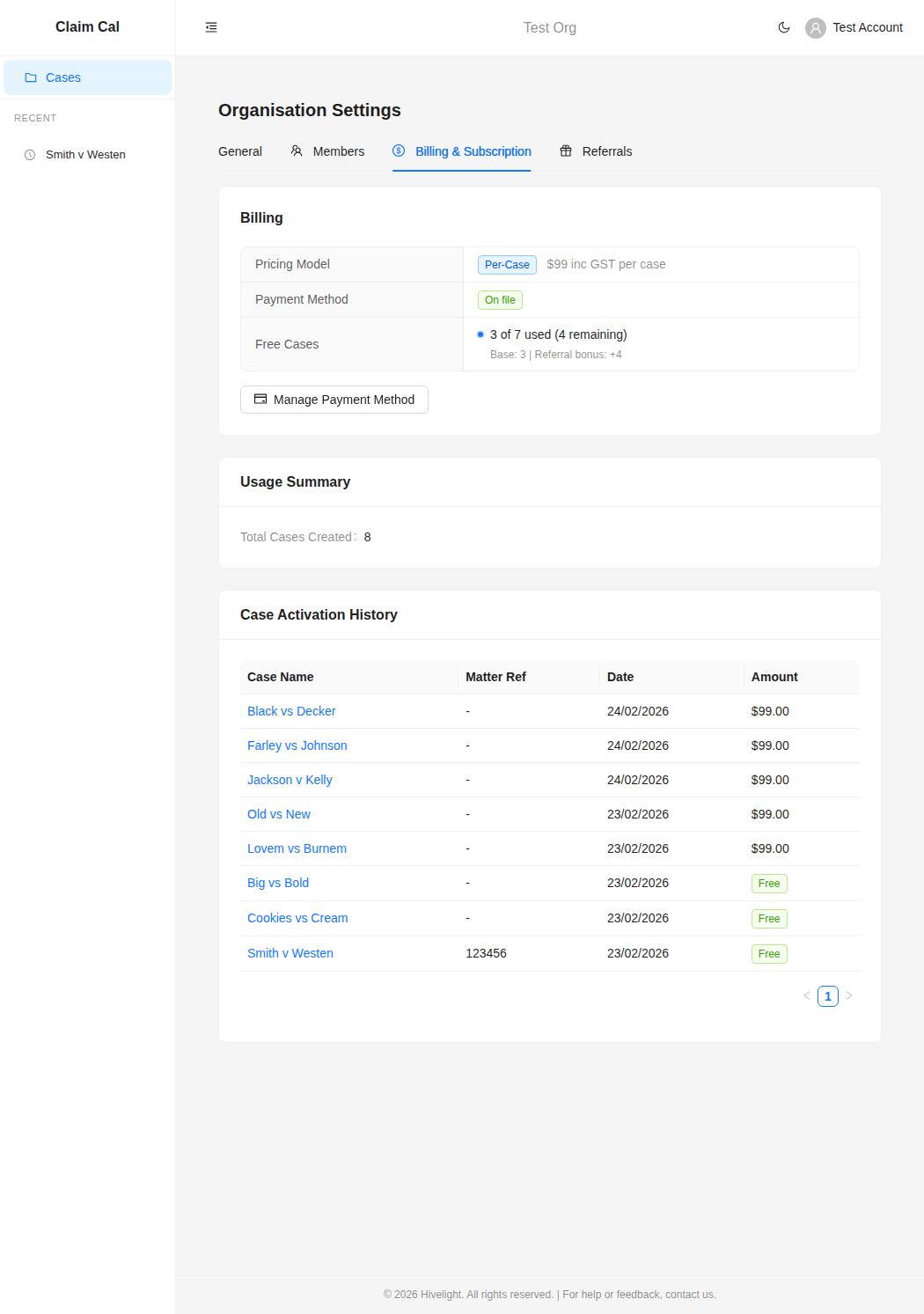
You can also see the impact of your referrals on the Billing & Subscription tab, where the Free Cases row shows a breakdown of your base allowance plus any referral bonuses (e.g., "Base 3 + Referral bonus +4").
Conditions
- Self-referral prevention -- you cannot refer members of your own organisation.
- One account per referral -- the referred person must create a new Claim Cal account using your referral link.
- Bonus timing -- the bonus is applied when the referred user creates their first case, not on signup alone.
Next Steps
- How Pricing Works -- understand what happens after your free cases are used
- Managing Your Payment Method -- add a payment method for when your free cases run out